CSIS 105 - Computer as a Tool
Endnotes in MS Word
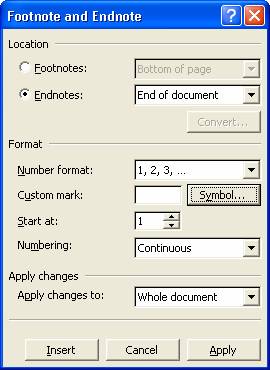
· Use Insert / Reference / Footnote from the pull-down menus to access the Footnote and Endnote dialog box shown below to initially create your endnote, i.e., Endnote number 1.
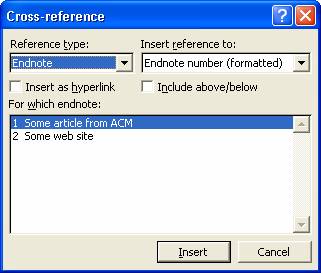
· To cite the same reference in Endnote Number 1 a second and other subsequent times, use Insert / Reference / Cross-reference from the pull-down menus to bring up the dialog box shown below. Set the Reference type and Insert reference to drop-down lists as shown and select the endnote that you want to cite another reference to from the For which endnote drop-down list.