Computer Science 390 – PHP Chapter 6 Lab
Objective: Create and use a MYSQL database which enforces referential integrity.
· Skim through Chapter 6 so that you can become somewhat familiar with database design terminology. The material in this chapter is over half of what I cover in the Database Management course, so don’t try to absorb all of it. The material on foreign key constraints and referential integrity at the end of the chapter is what you will be working with in this lab.
· Use the file of SQL commands at this link to create the banking database and insert data into its tables.
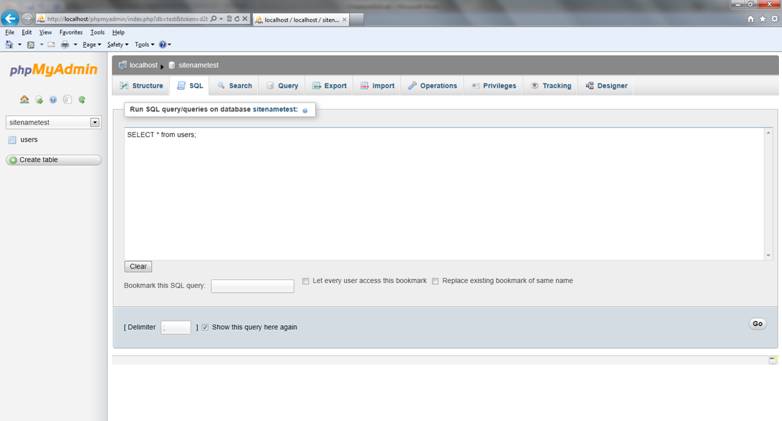
1. The first screen snapshot below shows the SQL window in PHPMyAdmin.
2. Copy the file of SQL commands into the SQL window of PHPMyAdmin and execute the commands using the Go button.
3. Execute the SELECT * FROM tabaleName SQL command to verify that the database tables were created and populated.
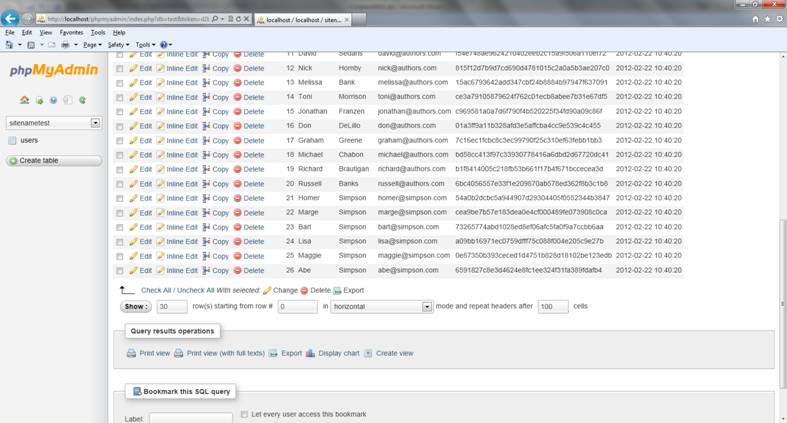
4. The results of the command appear in the results window shown in the second screen snapshot below.
5. The submit the results of your SQL queries for grading, click on Print View in the Query Results Operations section of the screen. An output window will open. You can then copy and paste the results into an MS Word document to submit them for grading. See my example at this link. Shrink the font size down around 8 point font, like I did in the example so that your results are easier to see.
· The schema and relationships diagram for the banking database is at this link.
· Add two new customers to the customers table. Use a SQL command to verify that they were added to the table.
· Add a checking and a savings account for each of the two new customers to the accounts table. Use a SQL command to verify that they were added to the table.
· Add 4 new transactions involving the accounts for any of your new customers to the transactions table. Use a SQL command to verify that they were added to the table.
· Write a SQL commands to show:
1. Show the first and last names of each customer and the account_id, type and balance for each account sorted by last name.
2. For each customer show customer_id, last_name, first_name, account_id, type, balance, transaction_id, to_account_id, from_account_id, amount, and date_entered for each account that had money transferred into it.
3. For each customer show customer_id, last_name, first_name, account_id, type, balance, transaction_id, to_account_id, from_account_id, amount, and date_entered for each account that had money transferred from it.
· Submit your Word document to the Moodle link for this assignment.