Computer Science 390 – PHP Chapters 4 & 5 Lab
Objective: Learn how to use MySQL using the PHPMyAdmin interface.
· Read Chapters 4 and 5 of the PHP text. This is extremely important if you have not had a Database Management course or if you do not know SQL since I will not be lecturing on these topics extensively.
· Use the file of SQL commands at this link to create the sitename database and insert data into the users table in lieu of the instructions on pages 130-137 of the text.
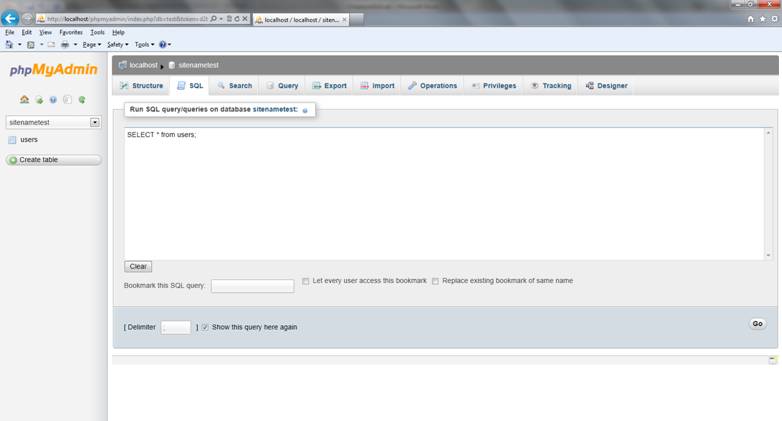
1. The first screen snapshot below shows the SQL window in PHPMyAdmin.
2. Copy the file of SQL commands into the SQL window of PHPMyAdmin and execute the commands using the Go button.
3. Execute the SELECT * FROM users SQL command to verify that the database table was created and populated.
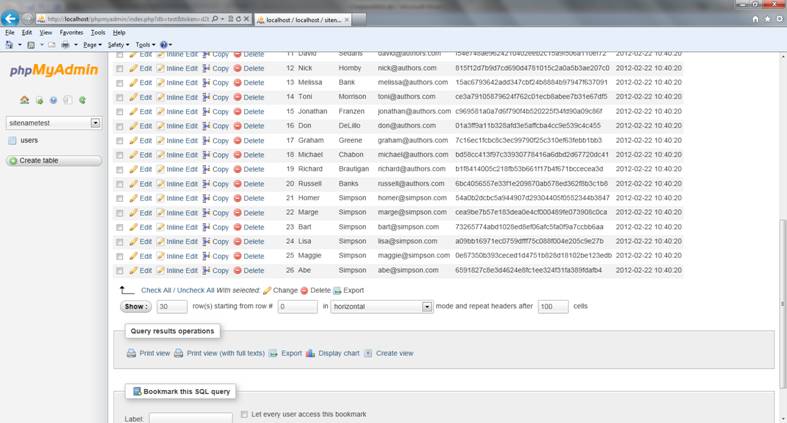
4. The results of the command appear in the results window shown in the second screen snapshot below.
5. The submit the results of your SQL queries for grading, click on Print View in the Query Results Operations section of the screen. An output window will open. You can then copy and paste the results into an MS Word document to submit them for grading. See my example at ths link. Shrink the font size down around 8 point font, like I did in the example so that your results are easier to see.
· Run all of the SQL commands rest of the chapter starting on page 139. Enter the results of each SQL command into the Word document that you created above.
· When you are performing a command which changes values in the database, execute a SELECT command to verify that the update command worked properly and show the result of the SELECT command also.
· Submit your Word document to the Moodle link for this assignment.
Print View button in Query
Results Operations Section